Building internal tools for hackathon organizers
- Role
- Product Designer
- Timeline
- March 2026 - Present
- Skills
- User ResearchInteraction DesignPrototyping
- Tools
- FigmaFigJamClaude Code
Overview
The hackathon is outgrowing existing tools and workflows
As UofTHacks reaches its 14th iteration, more logistics and coordination are needed to keep the event running than ever before. Yet the workflows behind it rely heavily on repetitive and manual tasks that pull organizers away from high-impact work that goes into improving the experience of hackers.
Volunteer scheduling is one of these workflows, relying on organizers to manually coordinate shifts for over 50 volunteers.
Solution Highlight
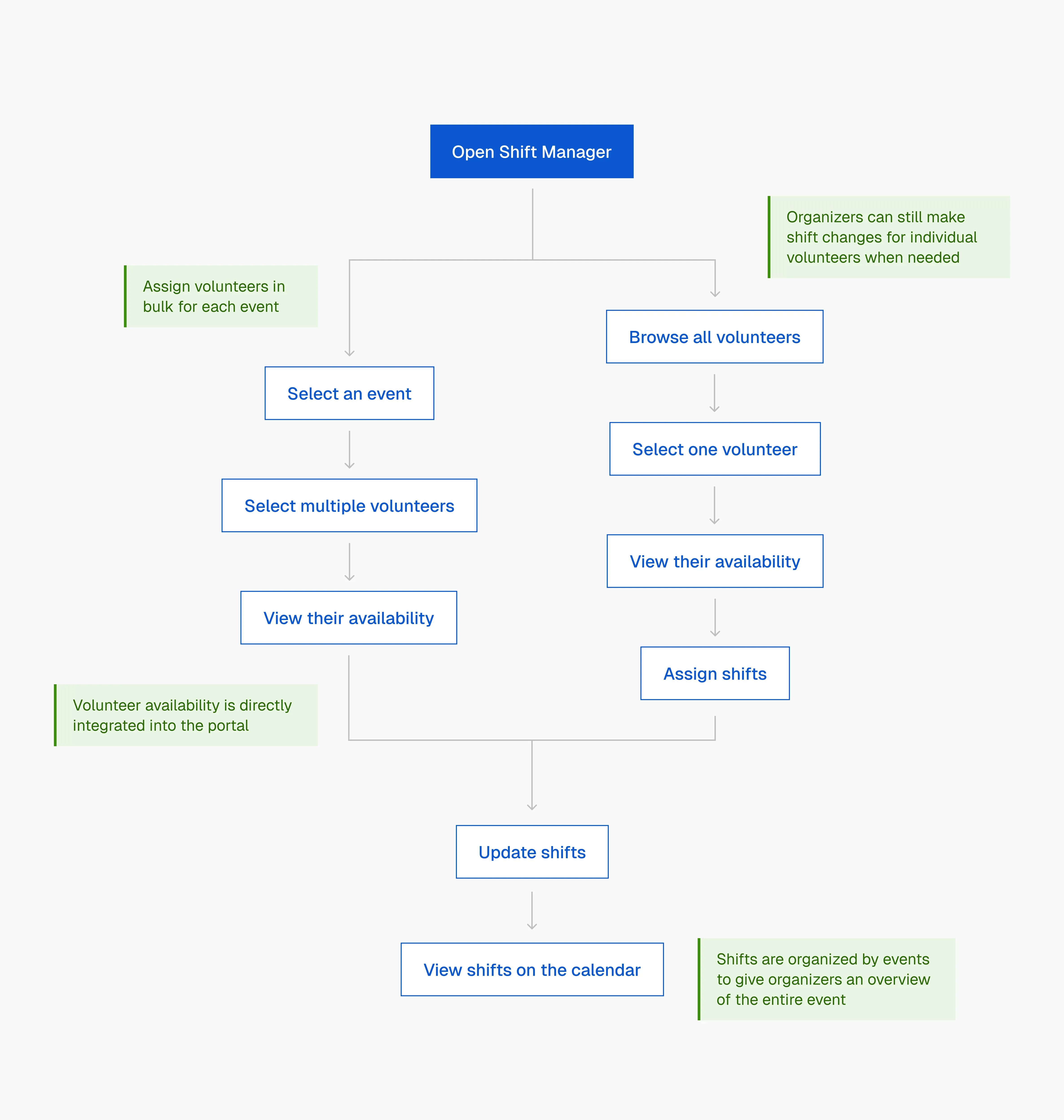
Schedule shifts in bulk or individually
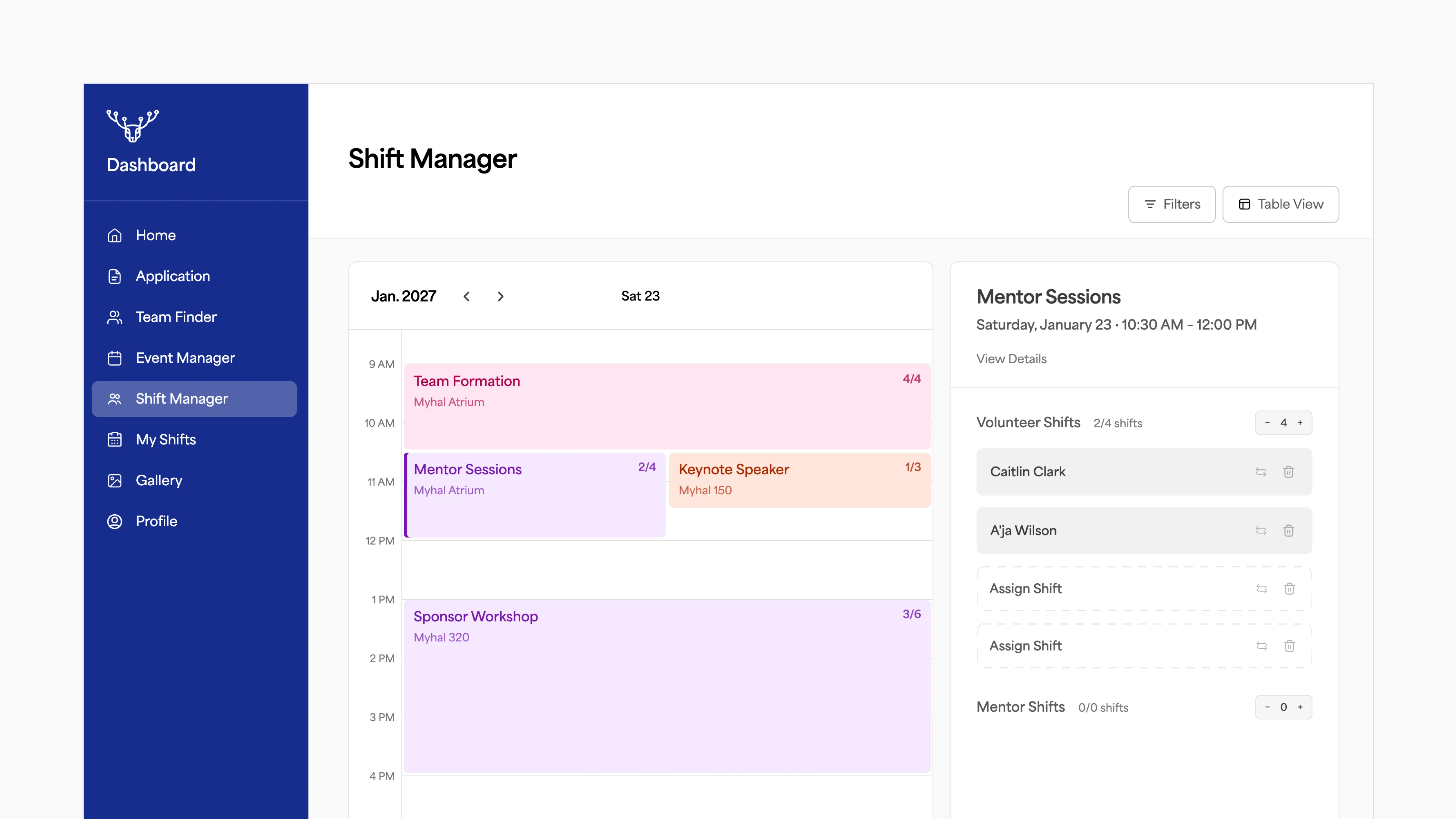
See coverage across the whole event
Integrating volunteer availability into the portal
User Research
Understanding the current challenges
Understanding the current shift assignment process uncovered 3 main pain points:
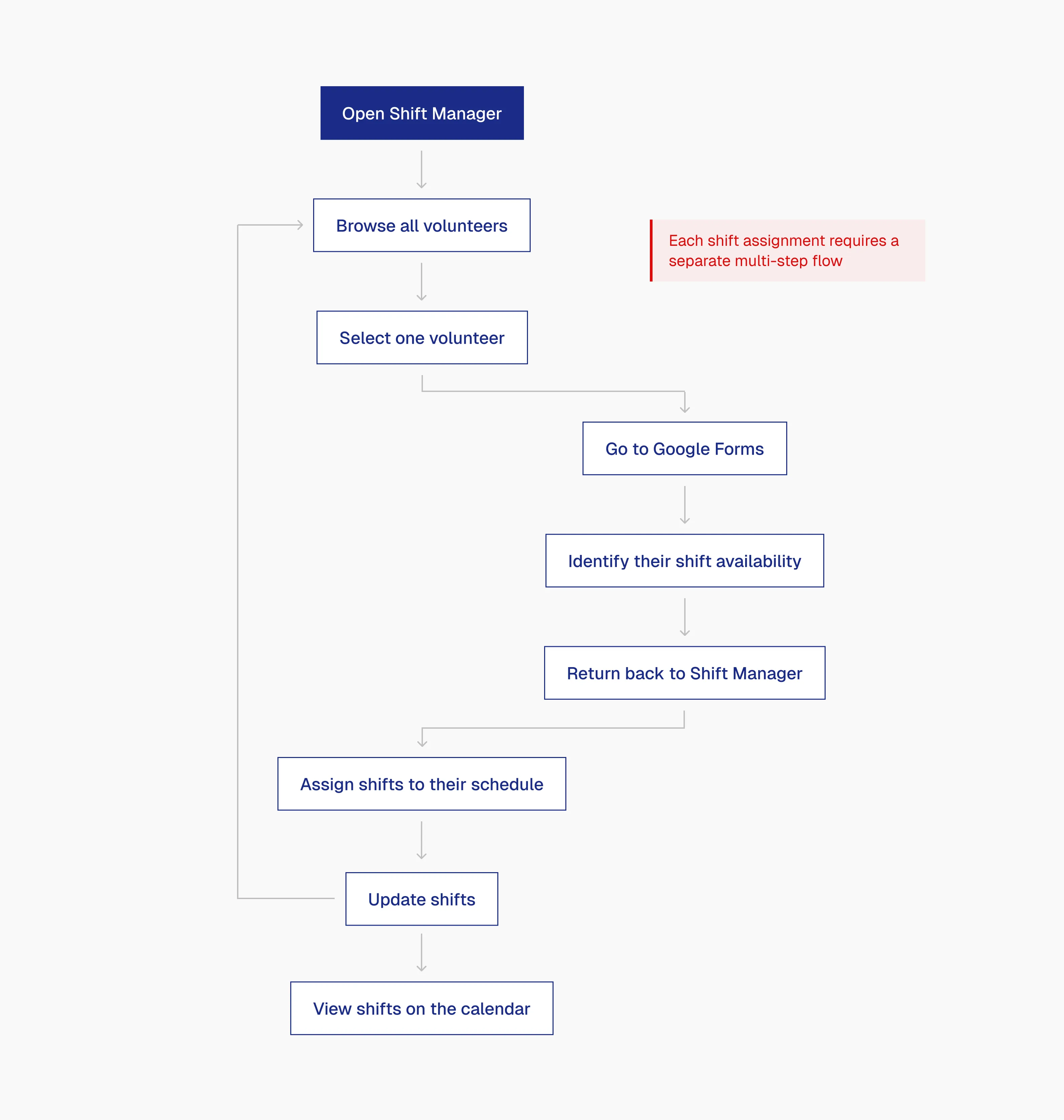
(1) A multi-step flow just for one volunteer
Assigning a single volunteer took organizers through several steps, which accumulates after 50+ volunteers.
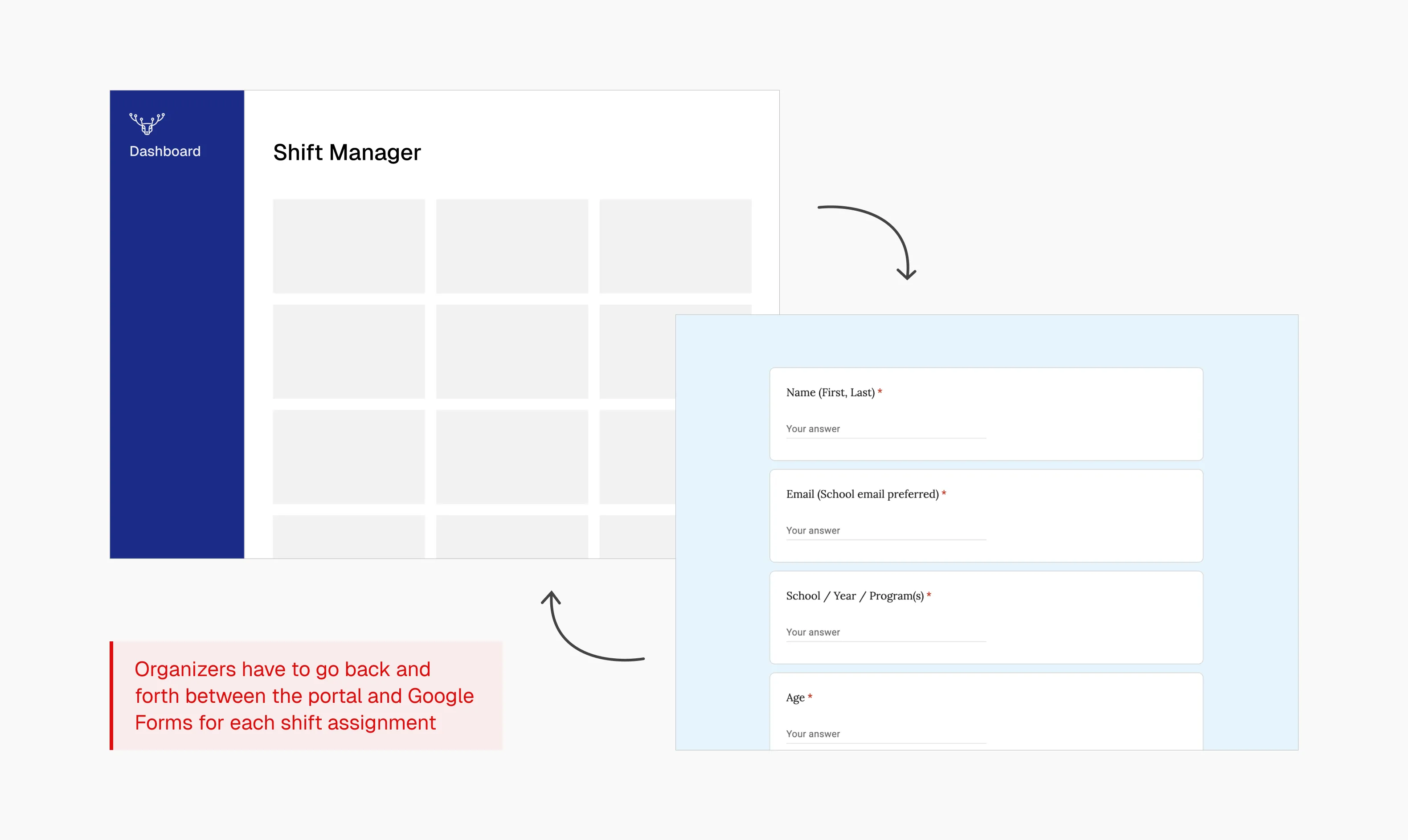
(2) Navigating outside the portal for information
Organizers have to switch between the portal and Google forms to find volunteer availability and shift preferences for every assignment.
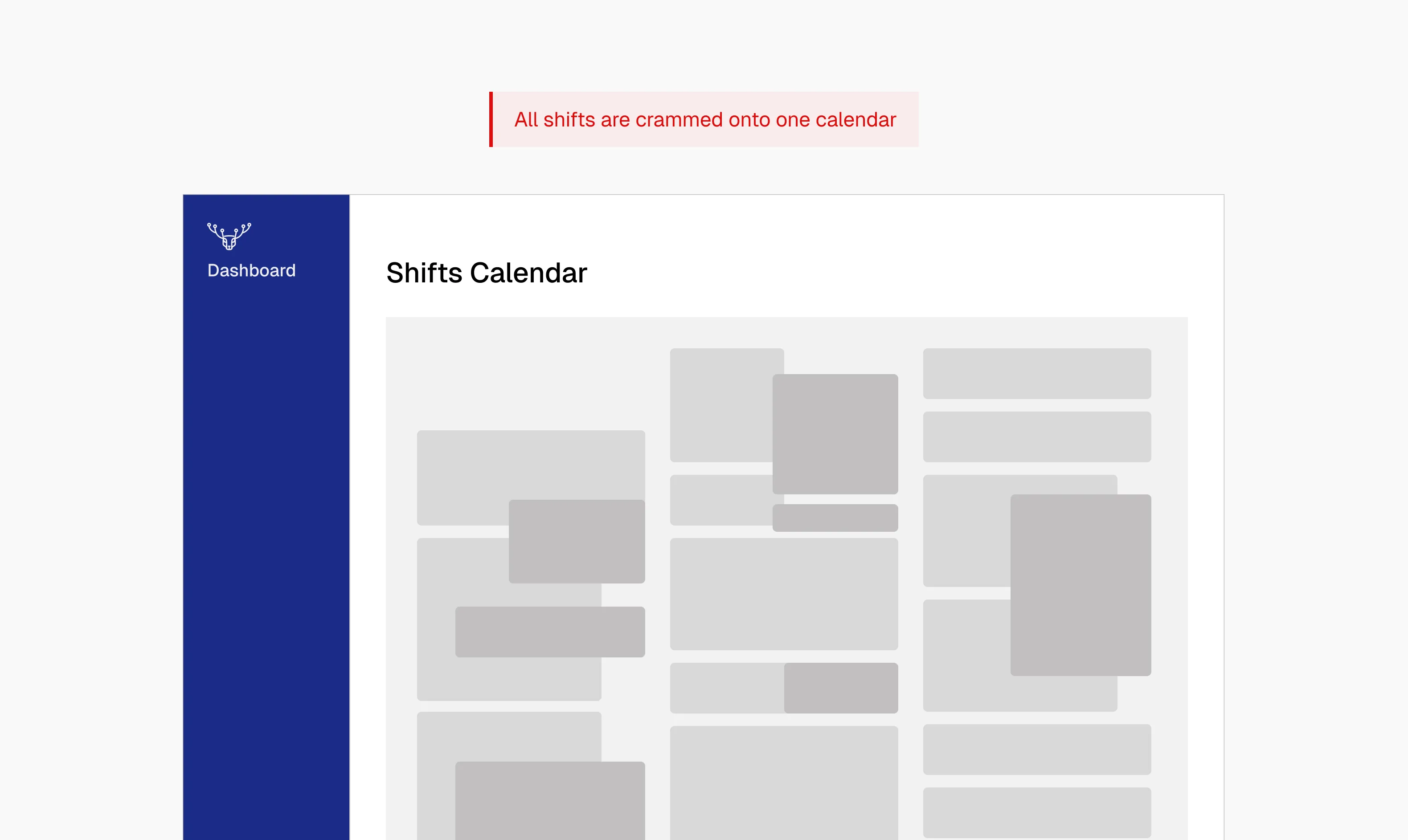
(3) No top-down view of events
The shift calendar is hard to sift through, with every shift crammed into a single view. As individual shifts are shown instead of being grouped by event, organizers have to scan through the entire calendar just to identify which events need additional support.
Design Decisions
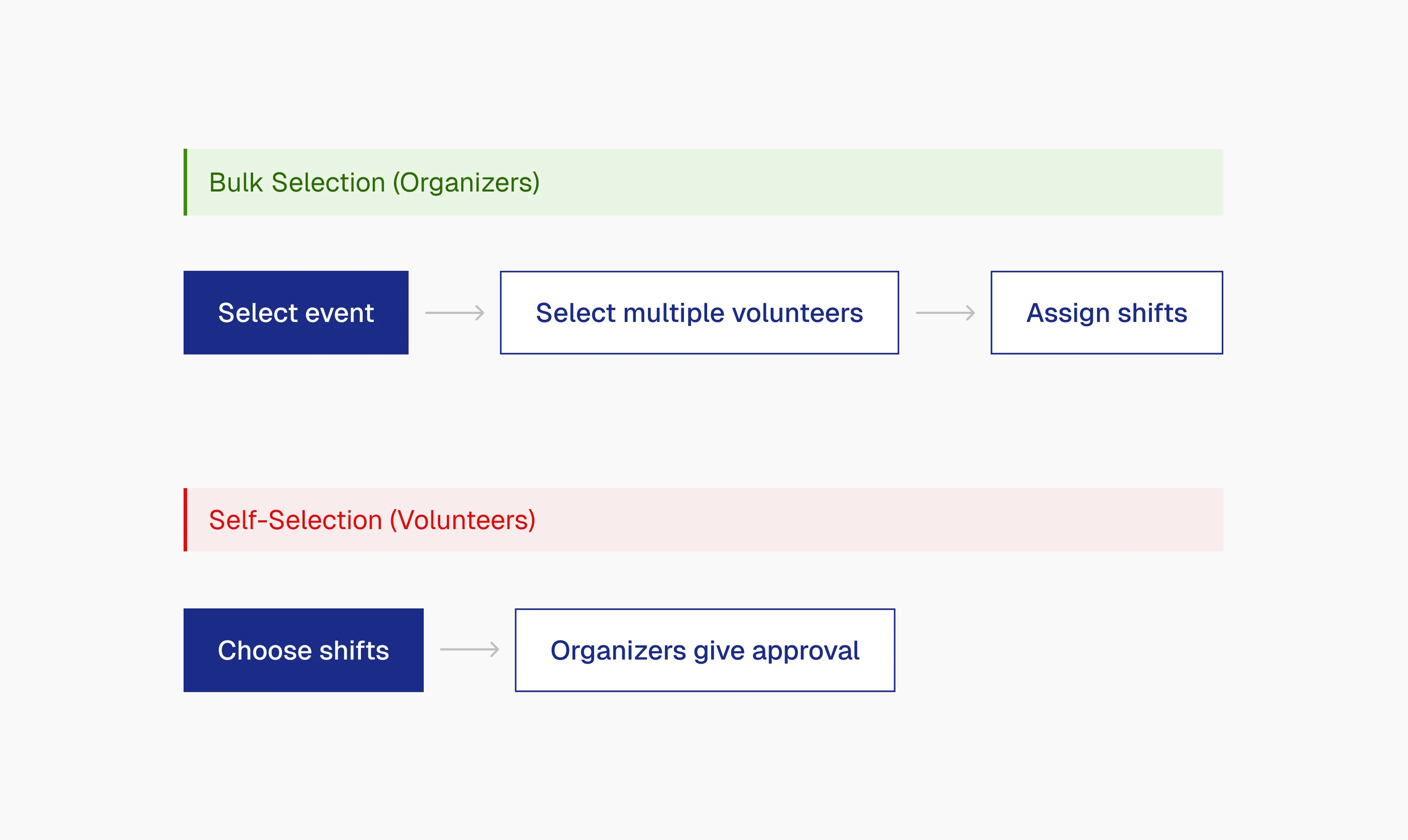
How might we reduce the manual work of assigning shifts?
I explored completely off-loading this task from organizers by letting volunteers choose their own shifts.
However, one constraint set by the logistics team was that shifts must be assigned and not chosen. If volunteers picked freely, unfavourable times like overnight shifts would go uncovered. This left assigning shifts in bulk as the most feasible and realistic change to cut manual work.
How might we display shifts so they are easier to manage?
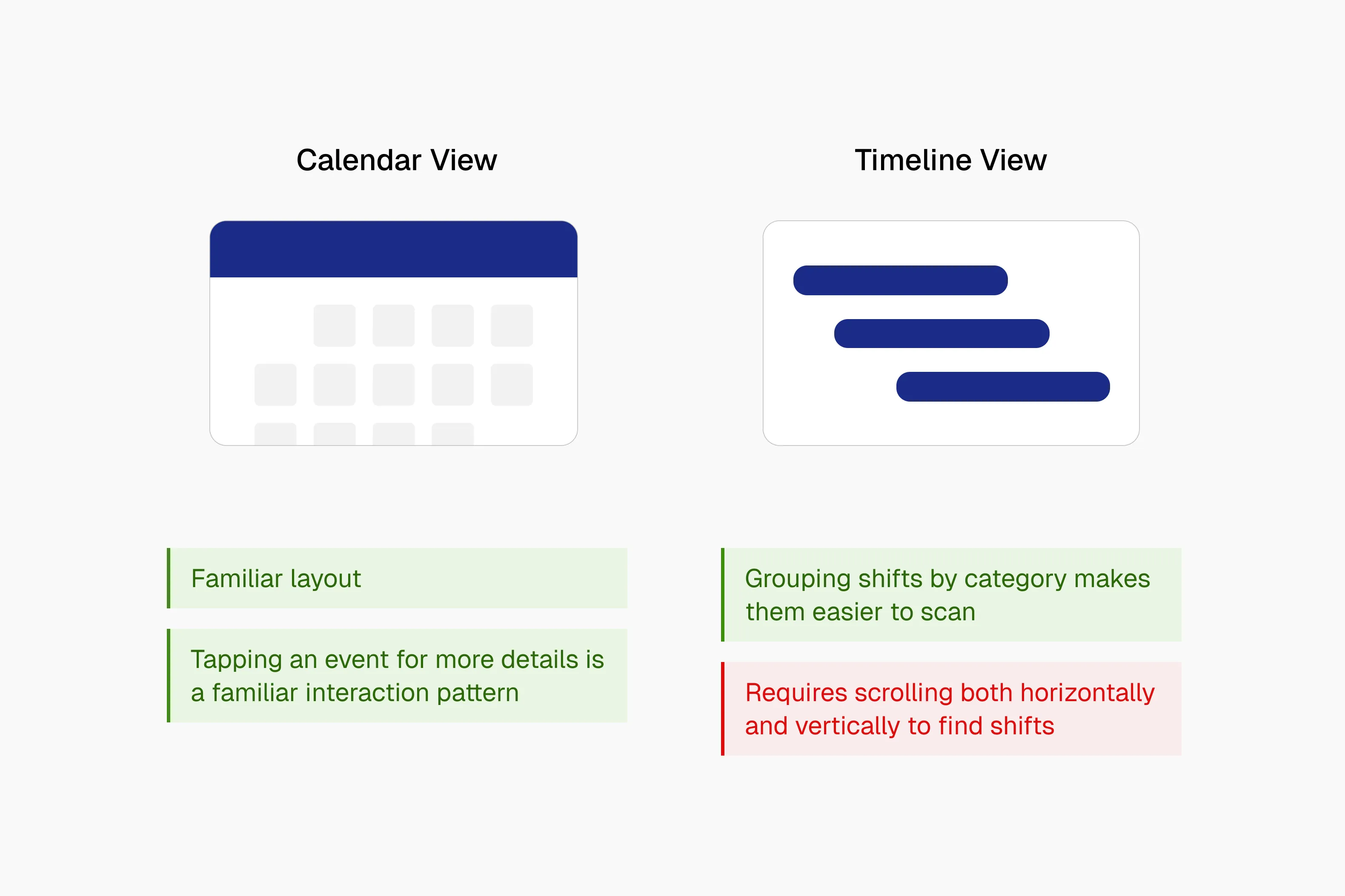
To display shifts, I explored two options: a calendar view and a timeline view. Both organized shifts more clearly than the original, but the calendar view showed the same information with less friction. The calendar also let me build on a familiar interaction: tapping an event to see more details.
How might we let organizers set staffing needs per event?
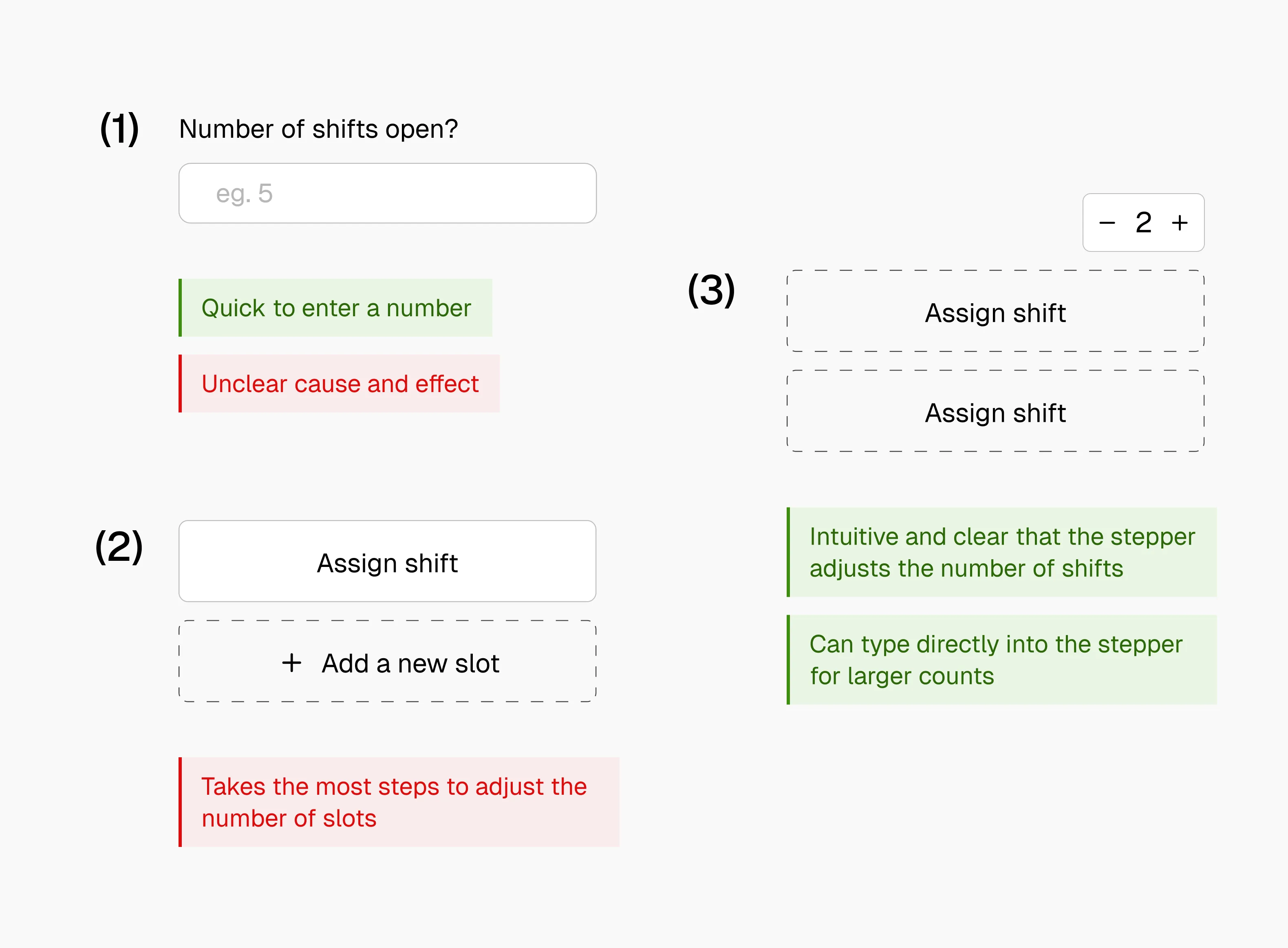
Once organizers could assign in bulk, they needed a way to define how many volunteers each event required, so they could see at a glance whether an event had enough support.
I explored three options, with the stepper being the best option. It fit the mental model of creating spots before filling them, gave instant feedback with each click, and took fewer steps than the alternatives.
Final Solution
A revamped flow that scales with the hackathon